
Test every decision before you make it
Simulation lets planners compare ranked, feasible options in minutes — with the risk quantified and the reasoning attached.
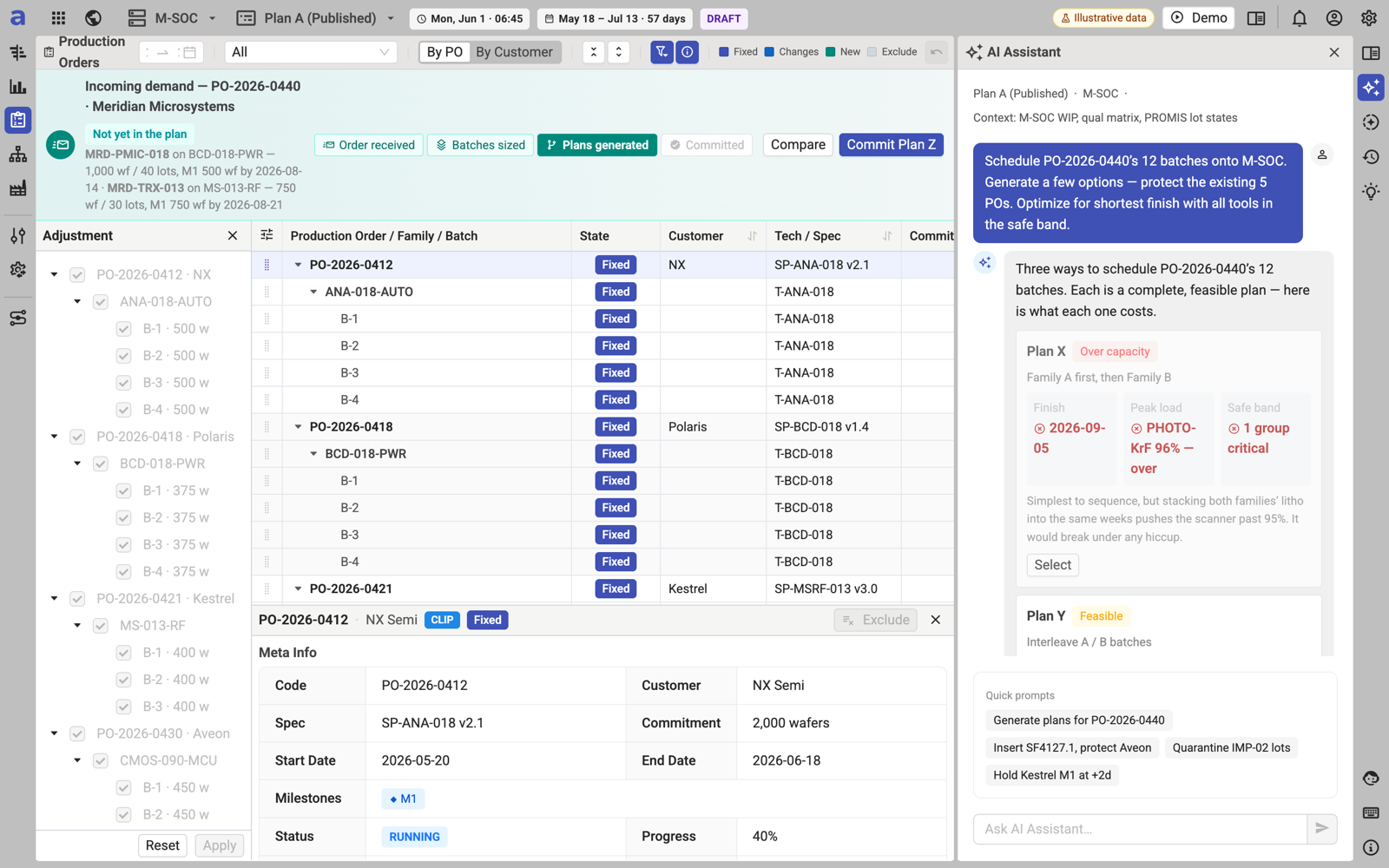
Target figures are design targets from simulation on synthetic fab data. aPlanner has no customer deployments yet; first pilot results are expected in 2027.
What it is, what it solves, what it brings
What it is
A Monte-Carlo what-if engine with templates (tool down, +20% hyperscaler order, yield −10%, node migration), side-by-side KPI comparison and an AI-recommended plan. Every scenario is a solver-validated plan version, not a spreadsheet copy.
What problem it solves
A scenario takes days in Excel, so planners test one or two options and decide by gut feel — an estimated US$15–25M a year of sub-optimal decisions per large fab.
What benefit it brings
Target: minutes per scenario (95% faster); unlimited scenarios; quantified risk at P50 / P80 / P95; decisions the whole team can defend because each option carries its explanation.
Compare, ask, acknowledge, commit
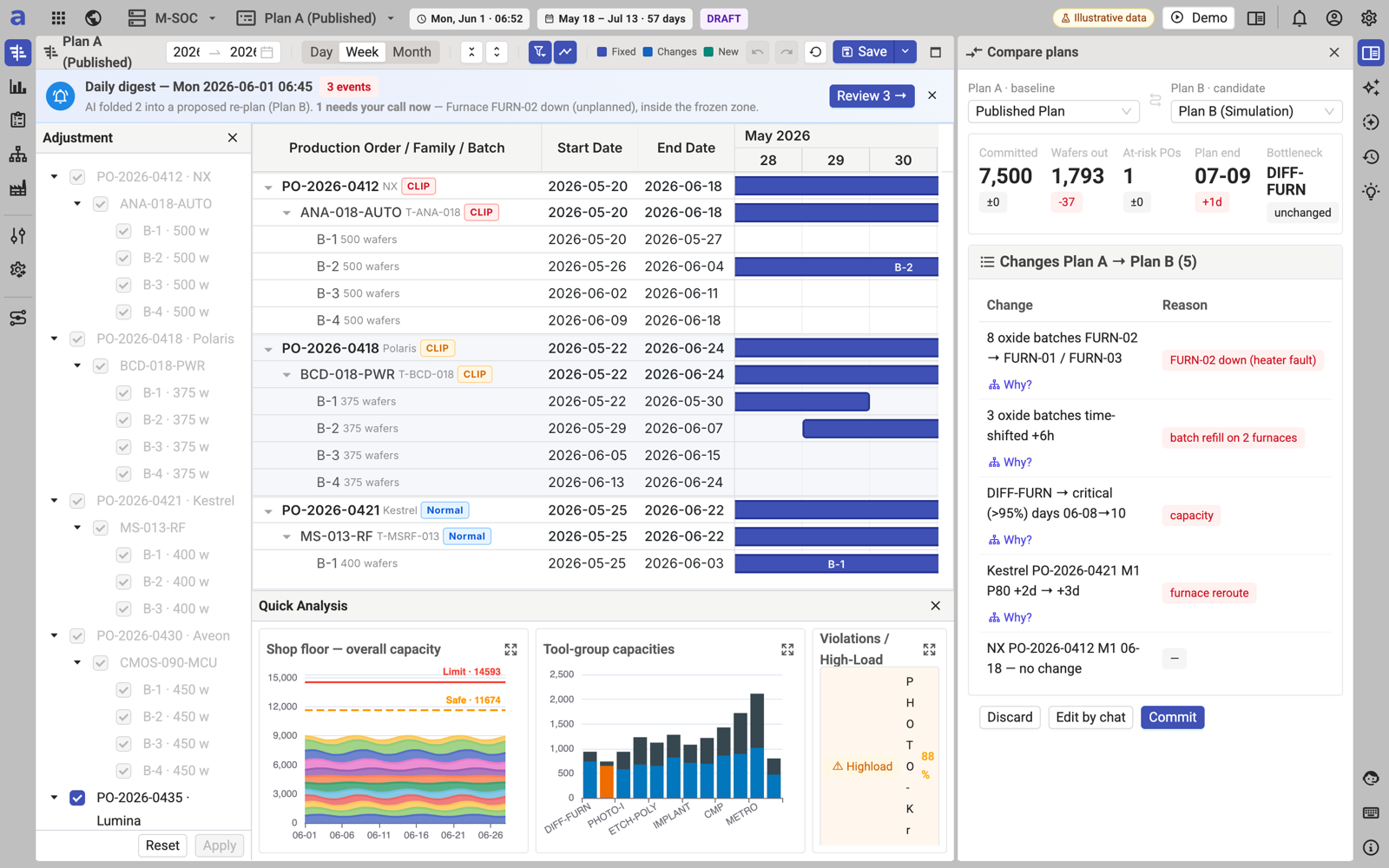
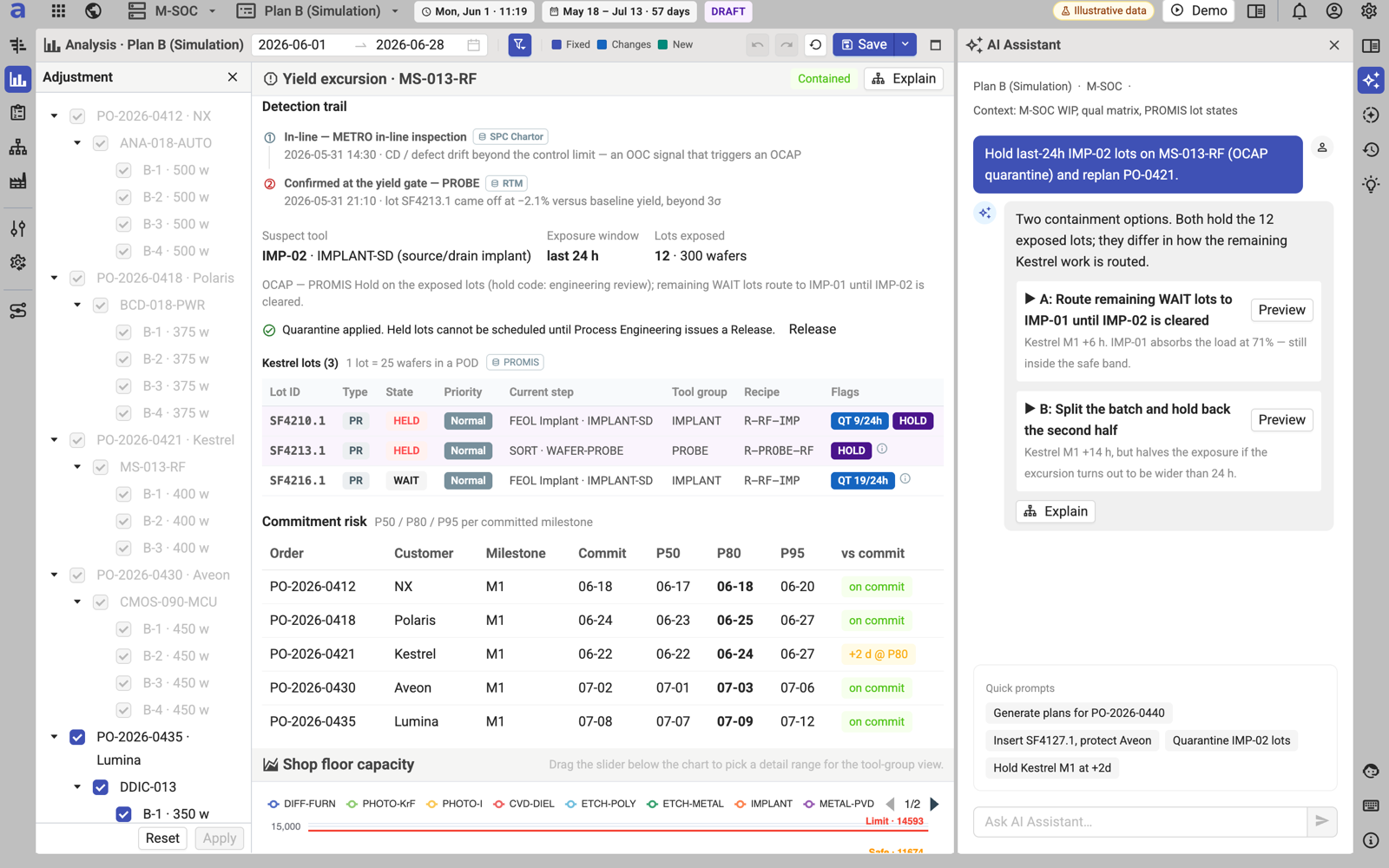
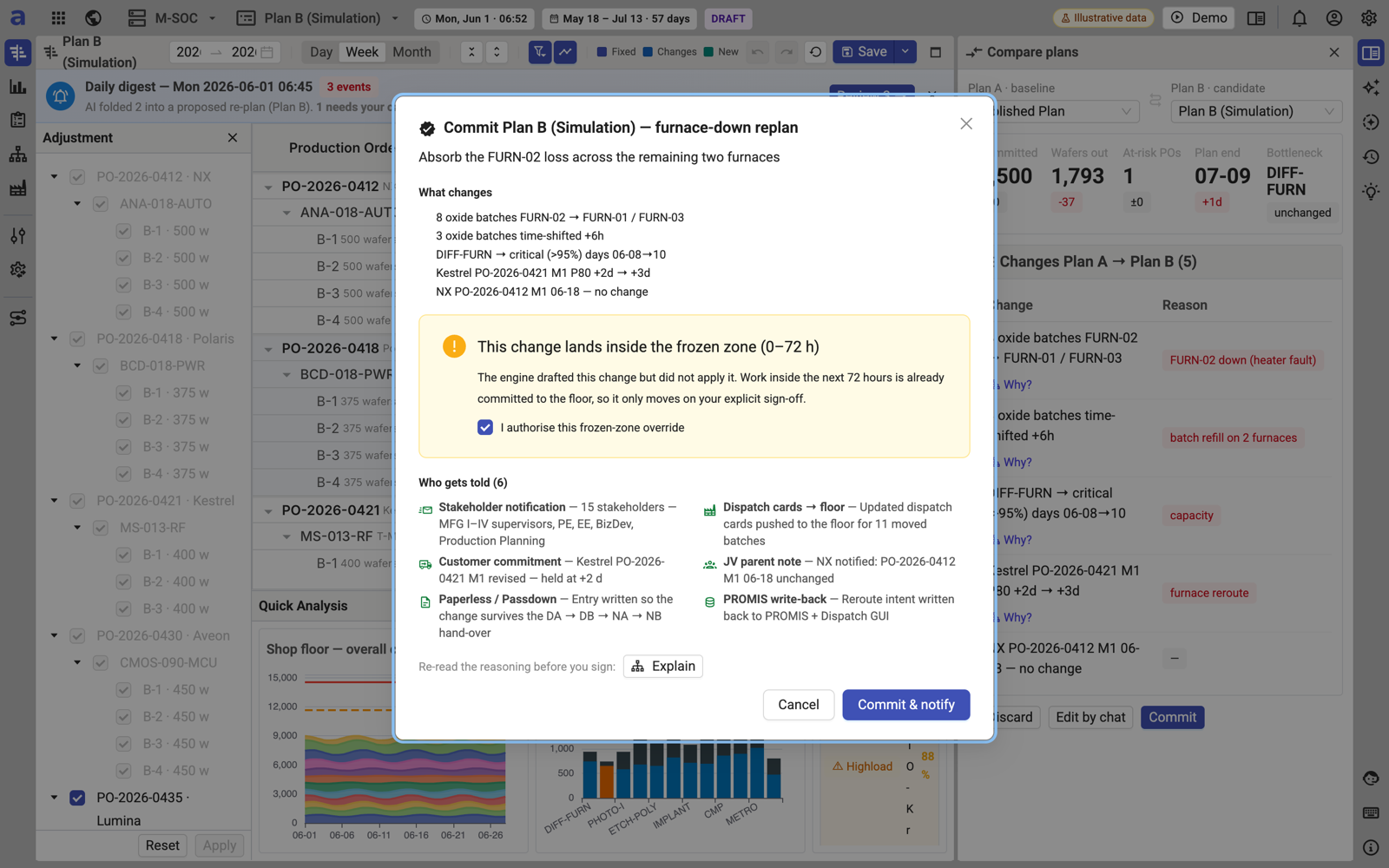
October 2026 MVP build on a synthetic fab dataset: a furnace-down re-plan compared against the published plan, quarantine scenarios proposed by the assistant, and the frozen-zone acknowledgement before commit.
Capabilities
Every scenario is a full solver run on the live plan — so what you compare is what the fab would actually run.
What-if on any variable
Change demand, capacity, yield, priorities or constraints and see the impact on schedule, commitments and tool load.
Monte-Carlo risk wrap
Cycle-time and yield distributions are sampled around the solver result so each milestone shows P50 / P80 / P95 exposure.
Side-by-side compare
Plan A vs. Plan B: which batches change, which tool groups go red, which customer milestones move — on one screen.
Conversational scenarios
Ask the assistant in plain language — "hold Customer K at +2 d without hurting the automotive lot" — and get ranked, solver-checked options.
Template library
Tool down, hot lot, yield excursion, +25% hyperscaler QLC demand, node migration — the situations a fab planner meets every quarter.
Commit with governance
Preview, acknowledge frozen-zone overrides, then commit; the fan-out to dispatch and customers is automatic and logged.
Scenario templates
| Scenario | Question answered |
|---|---|
| Tool down | Furnace FURN-02 fails on Saturday night — what is the smallest defensible re-plan? |
| Hot lot | An automotive lot must be out three days early — who else is affected? |
| Yield excursion | Yield drops 2% on one product — which commitments are exposed at P80? |
| Demand spike | A hyperscaler pulls 2,000 QLC wafers forward two weeks — which TLC starts to defer? |
| Node migration | How do we ramp 236L while 176L declines, with shared tools and one demand plan? |
| Capacity change | What if we add a second scanner shift for four weeks? |
| Priority conflict | Which customer to protect when the bottleneck is over capacity? |
| Quarterly revision | Revised S&OP demand is published — what wafer-start plan maximizes good-die output? |
Run your scenarios on your own line in 2027
Join the Korea pilot program, or walk through the prototype use cases first.