
Fits the fab's existing stack. Data never leaves the site.
aPlanner connects to what the fab already has — MES, SAP, yield databases, even the planners' spreadsheets — through read-only connectors first. Nothing is ripped out.
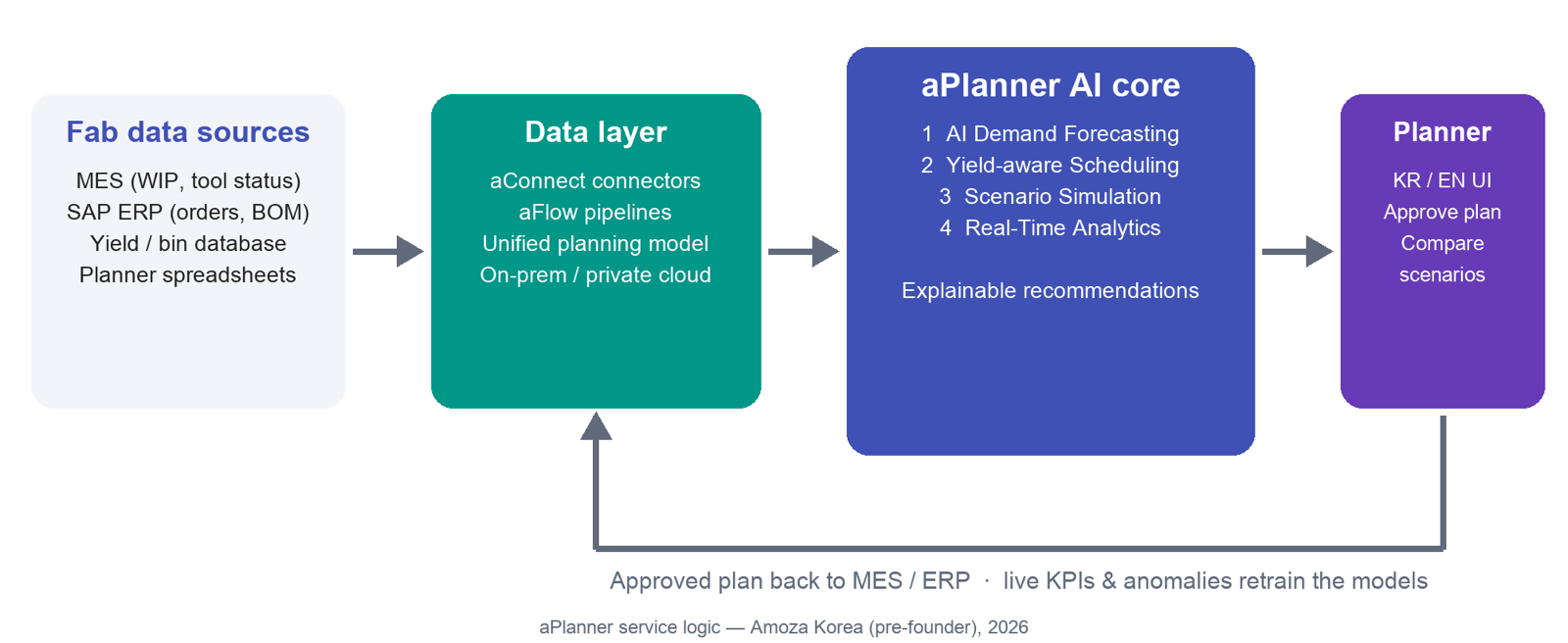
How data flows
From the fab's systems into one versioned planning model, through the AI core, to the planner, and back.
Fab data sources
MES (WIP, tool status) · SAP ERP (orders, BOM) · yield / bin database · planner spreadsheets
Data layer
aConnect connectors · aFlow pipelines · unified planning model · on-prem / private cloud
AI core (aCore)
Forecast · optimize · simulate · explain — the four modules on one versioned plan
Planner workspace
Korean / English UI · compare scenarios · approve, edit or reject every change
Back to MES / ERP
Approved plan written back after sign-off; live KPIs and anomalies retrain the models
Deployment, integration, governance
Deployment
Integration
Security & governance
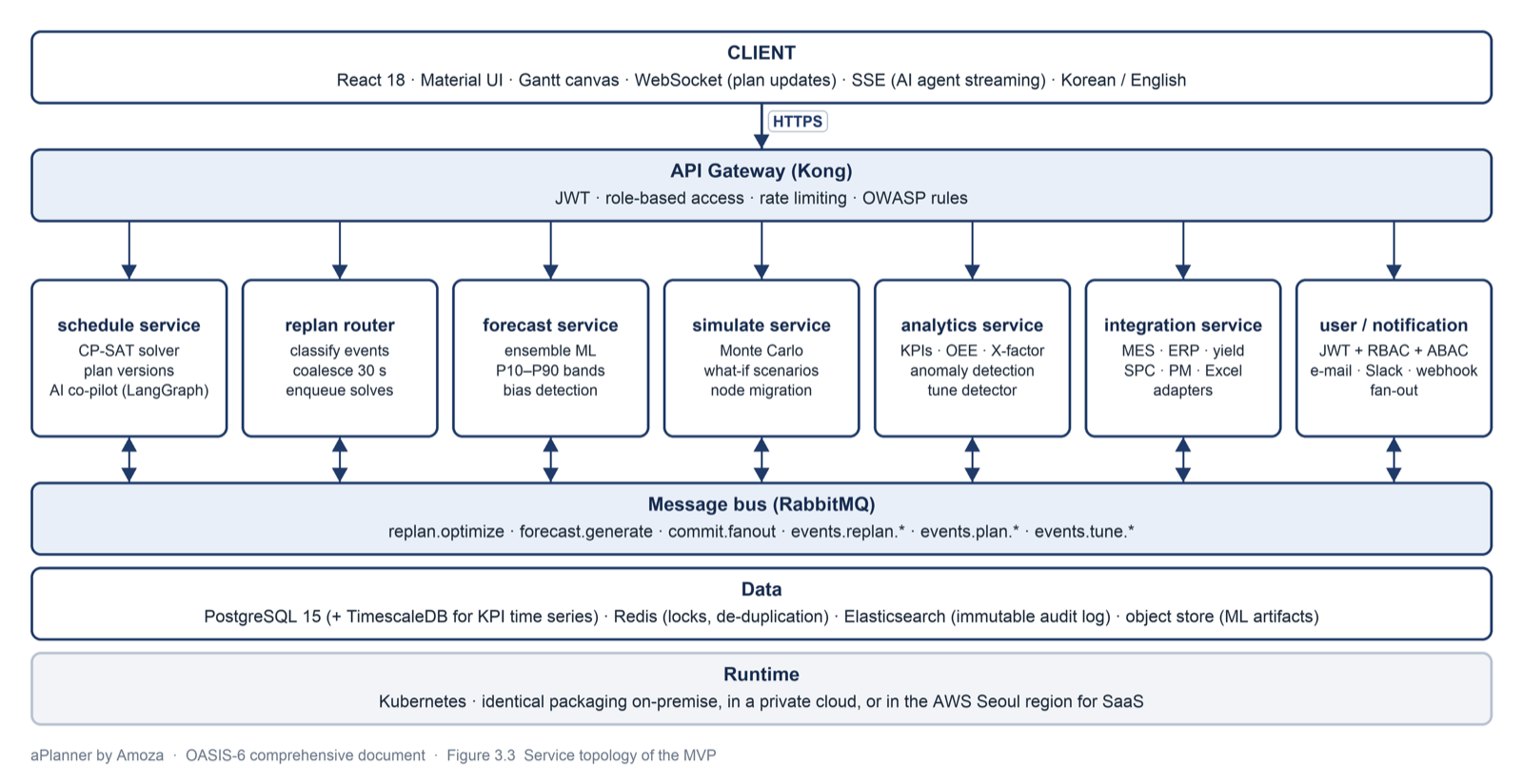
Same code on-prem and in the cloud
| Backend | Python / FastAPI |
| Data | PostgreSQL + TimescaleDB |
| Optimization | OR-Tools / MILP (CP-SAT) |
| AI / ML | PyTorch, XGBoost |
| Frontend | React (KR / EN) |
| Runtime | Kubernetes on-prem or AWS Seoul |
70%+ AI-assisted development. The MVP runs on synthetic fab data; connectors are exercised against representative MES / ERP schemas until the first pilot.
Connectors
The Korean fab stack is the default, not a project. Read-only first; write-back of approved plans only after sign-off.
MES
ERP
Yield / bin data
Planner spreadsheets
PLM / recipe master data
Custom systems
Start with a planning readiness assessment
In 2–4 weeks we review your MES, ERP and yield data, your constraints and your planning process, and scope the pilot on one line.